Your stats.
Your style.
Your card.
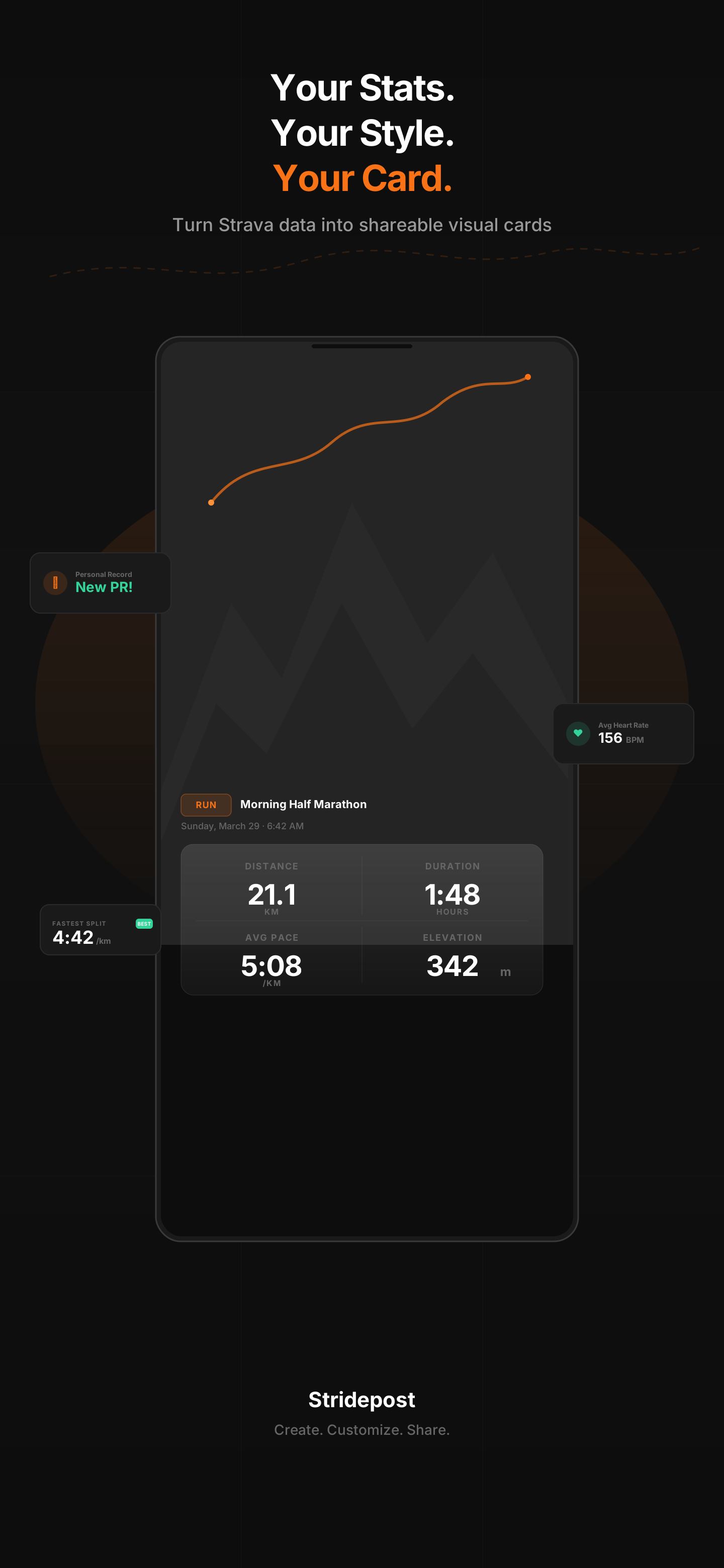
Turn your Strava activities into beautiful, shareable visual cards in seconds. Pick a template, auto-fill your data, and post it everywhere.
Everything you need to
share your stride
Purpose-built for athletes who want to share their workouts with style — not just a screenshot.
Auto-fill from Strava
Connect your Strava account once and all your activity data — distance, pace, heart rate, splits, GPS route — fills in automatically.
Beautiful Templates
Pick from professionally designed templates — Minimal, Bold, Route, and more. Each one is crafted to make your stats look stunning.
GPS Route Maps
Your running or cycling route rendered as a beautiful map widget on your card. Customizable colors and styles.
Every Sport Supported
Running, cycling, swimming, hiking, and every other sport type from Strava. Your activity, your card — no matter the sport.
High-Quality Export
Export your card as a crisp PNG at 1080px+ resolution. Perfect aspect ratios for Instagram Posts (4:5), Stories (9:16), or Square (1:1).
Import .FIT, .GPX, .TCX
Don't use Strava? No problem. Import activity files from Garmin Connect, Coros, Polar, or any fitness app. All the same features.
From Strava to Stories
in 3 taps
No design skills needed. Just pick, customize, and share.
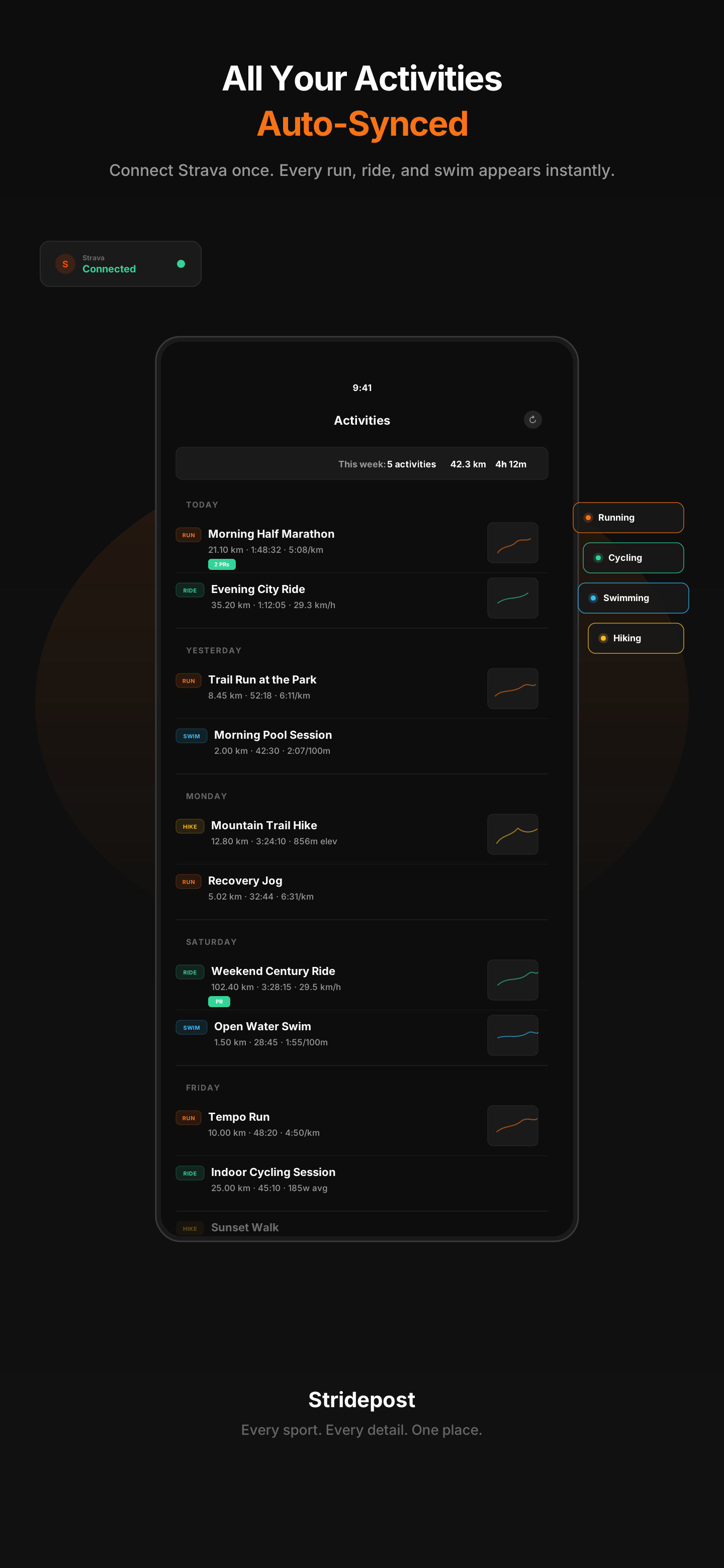
Connect & Sync
Link your Strava account or import a .fit/.gpx/.tcx file. Your activities sync automatically — distance, pace, heart rate, GPS route, and more.
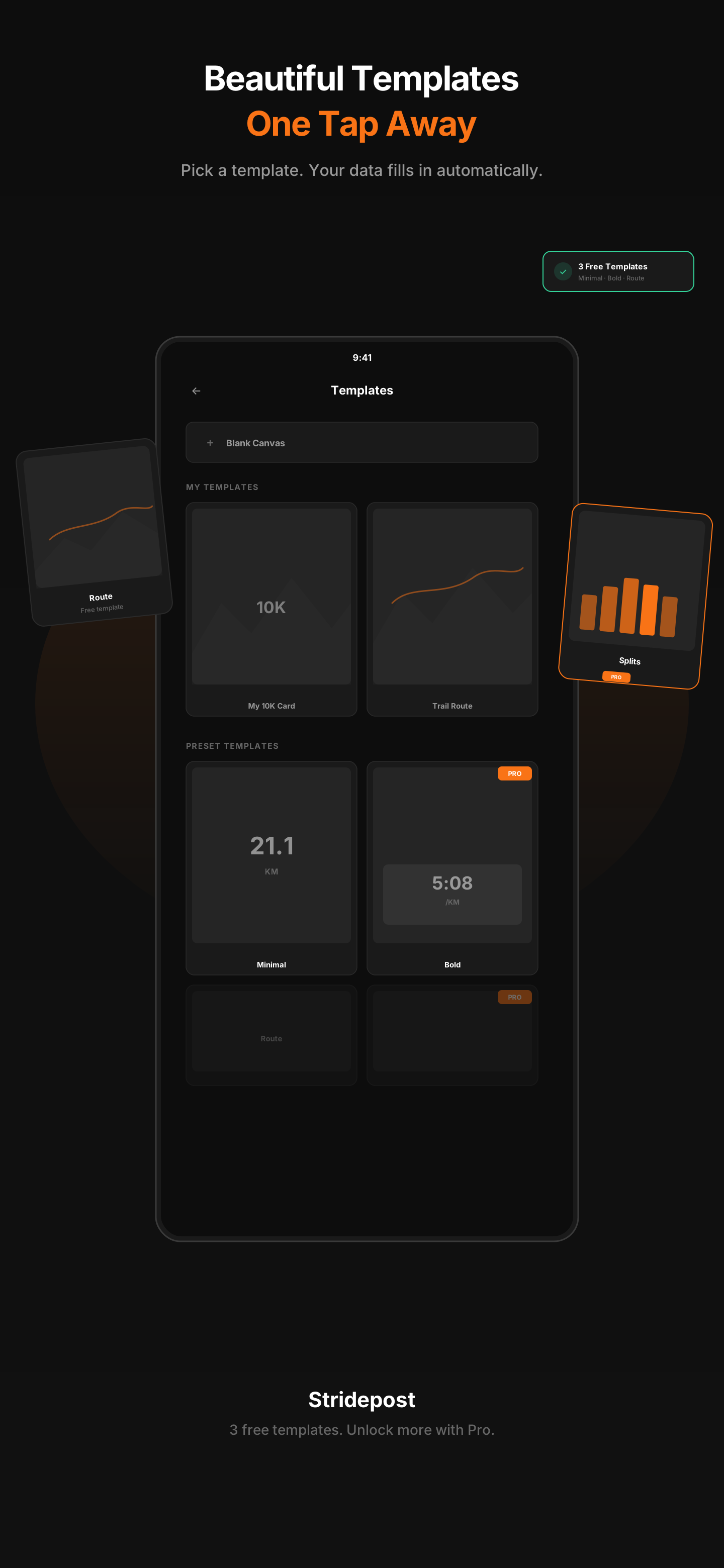
Pick a Template
Choose from beautifully designed templates. Your activity data auto-fills into the card — no manual typing needed.
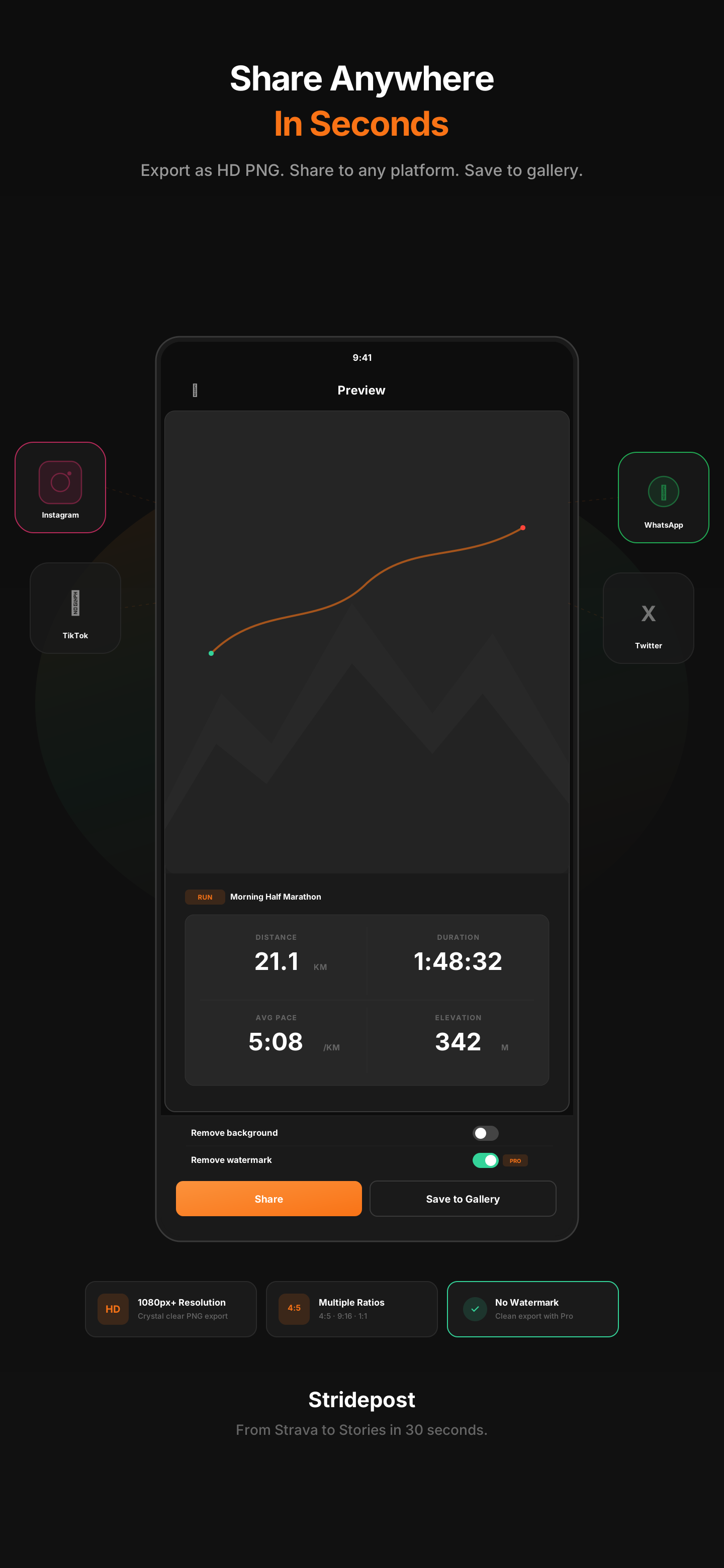
Export & Share
Export as a high-res PNG and share directly to Instagram, TikTok, WhatsApp, or save to your gallery. Done in 30 seconds.
Simple pricing,
no surprises
Start free. Upgrade when you want to remove the watermark and unlock everything.
Free
Get started and create your first cards.
Get Started Free- 3 preset templates (Minimal, Bold, Route)
- Free widget designs
- Unlimited activities & sync
- Draft auto-save
- PNG export with watermark
- Premium templates
- Premium widgets (badge, chart, weather)
- No watermark
- Custom templates
Pro
Unlock everything. No limits, no watermark.
Start Free Trial- All preset templates (10+)
- All widget designs (free + premium)
- Unlimited activities & sync
- Draft auto-save
- PNG export — no watermark
- Premium templates
- Premium widgets (badge, chart, weather)
- Save custom templates
- Direct share to socials
Frequently Asked
Questions
Do I need a Strava account to use Stridepost?
What data shows on my card?
What sports are supported?
What's the difference between Free and Pro?
What export formats and sizes are available?
Is my Strava data safe?
Can I use my own photos as card backgrounds?
Is Stridepost available on iOS?
Stop screenshotting Strava.
Start creating.
Your 5K deserves better than a screenshot. Make it look as good as it felt.